This post was originally published on this site.
AI as a very impressive intern
My favorite way to think about AI is that it’s like a very, very educated but somewhat incompetent intern.
Interns are great. When I worked in corporate, I had a few interns that I really enjoyed working with. But interns, like every new employee, don’t come with any context.
They can’t just jump in and start producing quality work right out of the gate. But, unlike new employees, managers must get them up to speed quickly. Most interns are only around for six to eight weeks. That’s how long we give most new employees to get acclimated.
So like a new intern, any time we start something new with AI, we must provide context. Sometimes context is just a few lines in your prompt.
”This student analysis report is for my manager, make sure not to use any profanity”
That sort of thing.
But what about when you’re using AI to work on bigger projects. You want AI to help you build a new course. Or to update an established learning program after a product release changes what customers need to do.
That’s where putting your context into a prompt just isn’t going to cut it.
This is where setting up a project becomes really important, and setting up that project with the right context is even more important.
Introducing the context map:
Context comes in many forms and it can be hard to know exactly where to put everything.
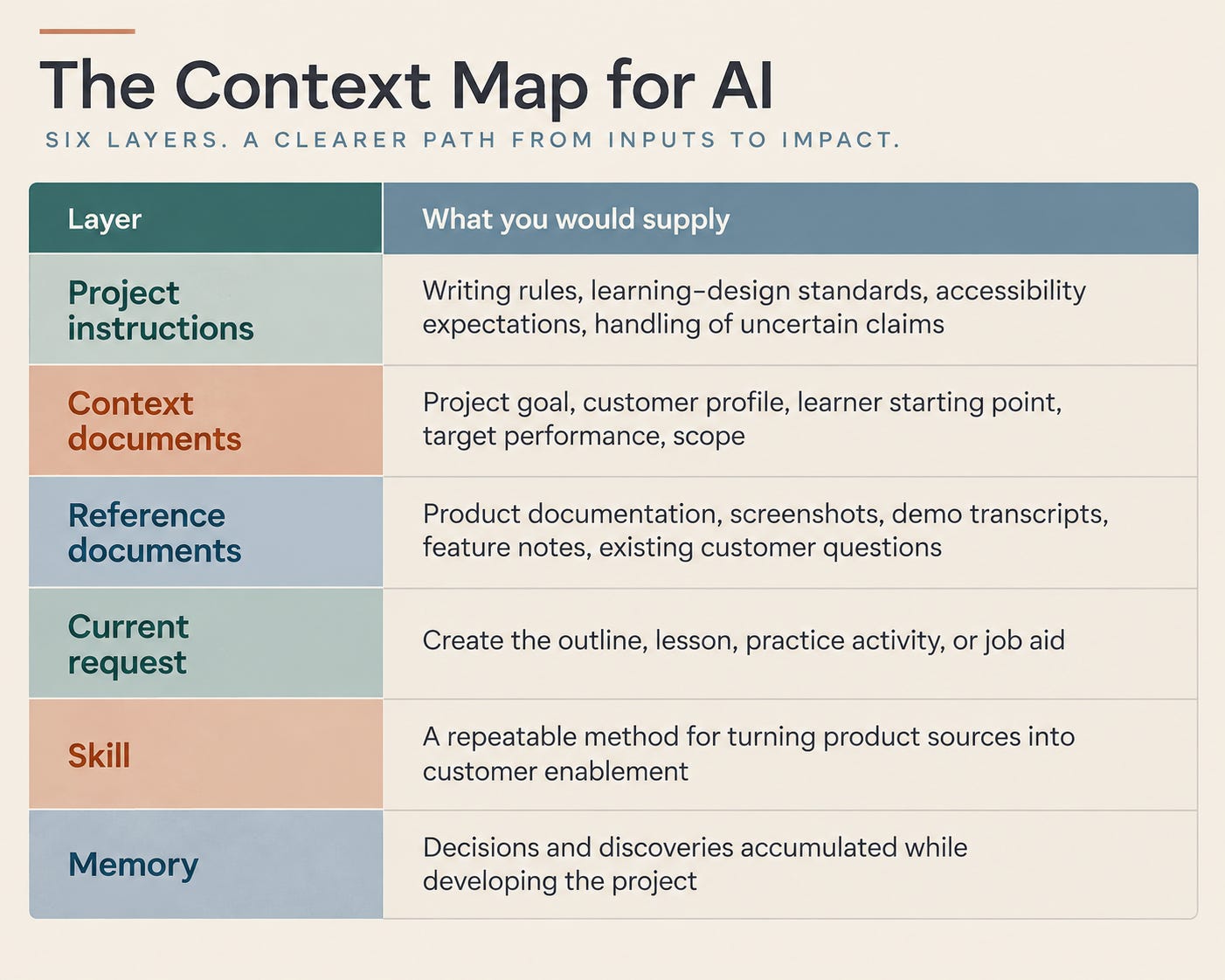
Here is how I think about context:
-
Project instructions — Writing rules, learning-design standards, accessibility expectations, handling of uncertain claims
-
Context documents — Project goal, customer profile, learner starting point, target performance, scope
-
Reference documents — Product documentation, screenshots, demo transcripts, feature notes, existing customer questions
-
Current request — Create the outline, lesson, practice activity, or job aid
-
Skill — A repeatable method for turning product sources into customer enablement
-
Memory — Decisions and discoveries accumulated while developing the project
Not every project needs all of the layers of context, or needs everything that belongs in each layer.
But the map is a helpful place to start, particularly if your work will involve several related conversations that need access to the same context.
Enough context. Let’s set this thing up.
Let’s say I need to create a short onboarding experience that helps an instructional designer new to Sage Studio add their existing source files.
I’d set up my project in three easy steps:
The Intake → The Foundation → The Craft
The Intake
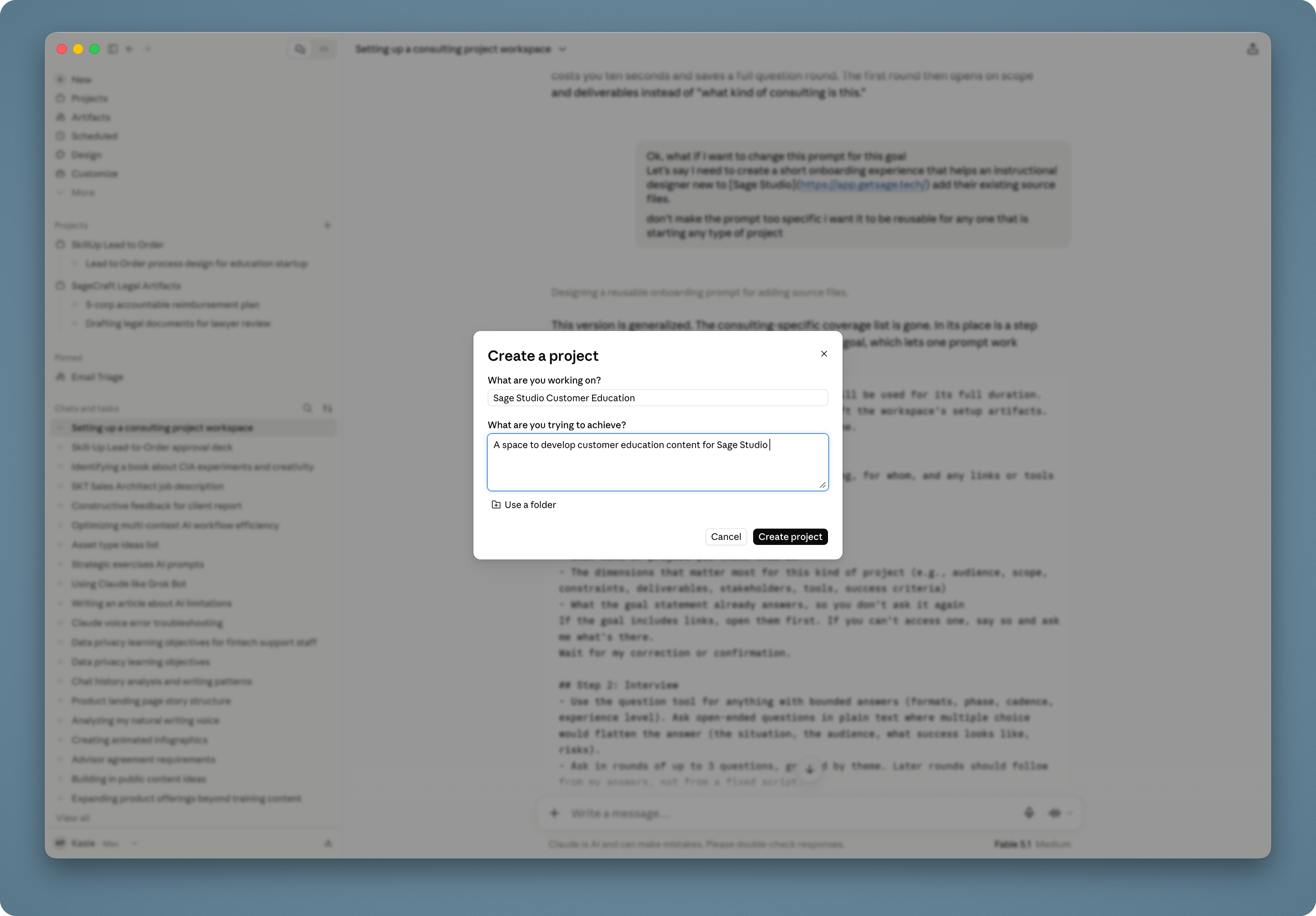
Start by creating a new Claude project. Give it a name and description that will help you recognize it later.
These fields are for you. Claude does not receive the project name or description as context, so we’ll give it the actual project goal in a chat.
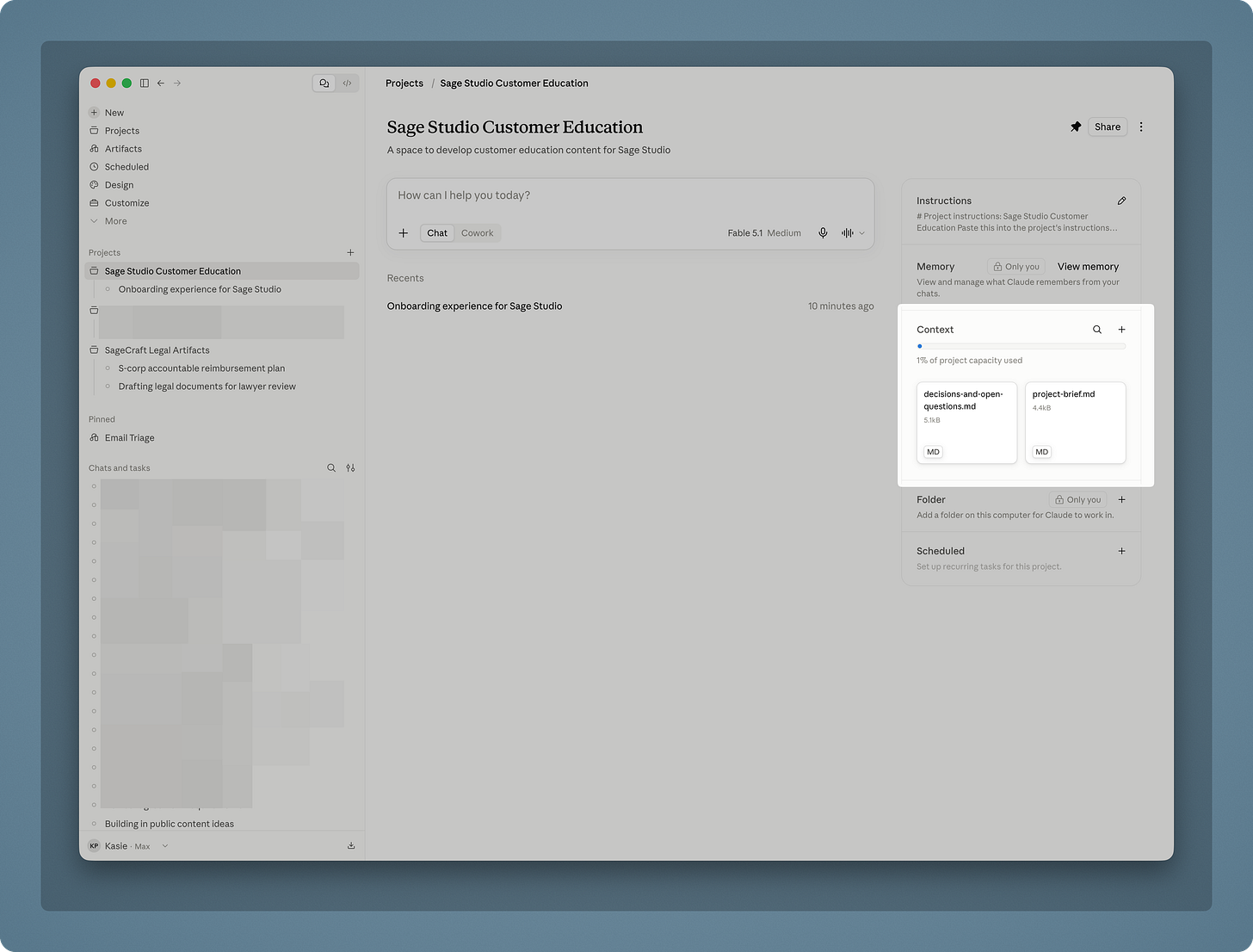
Once you’re inside, you’ll see the project instructions and context areas on the right.
This is where most people start adding things. I don’t. Not yet.
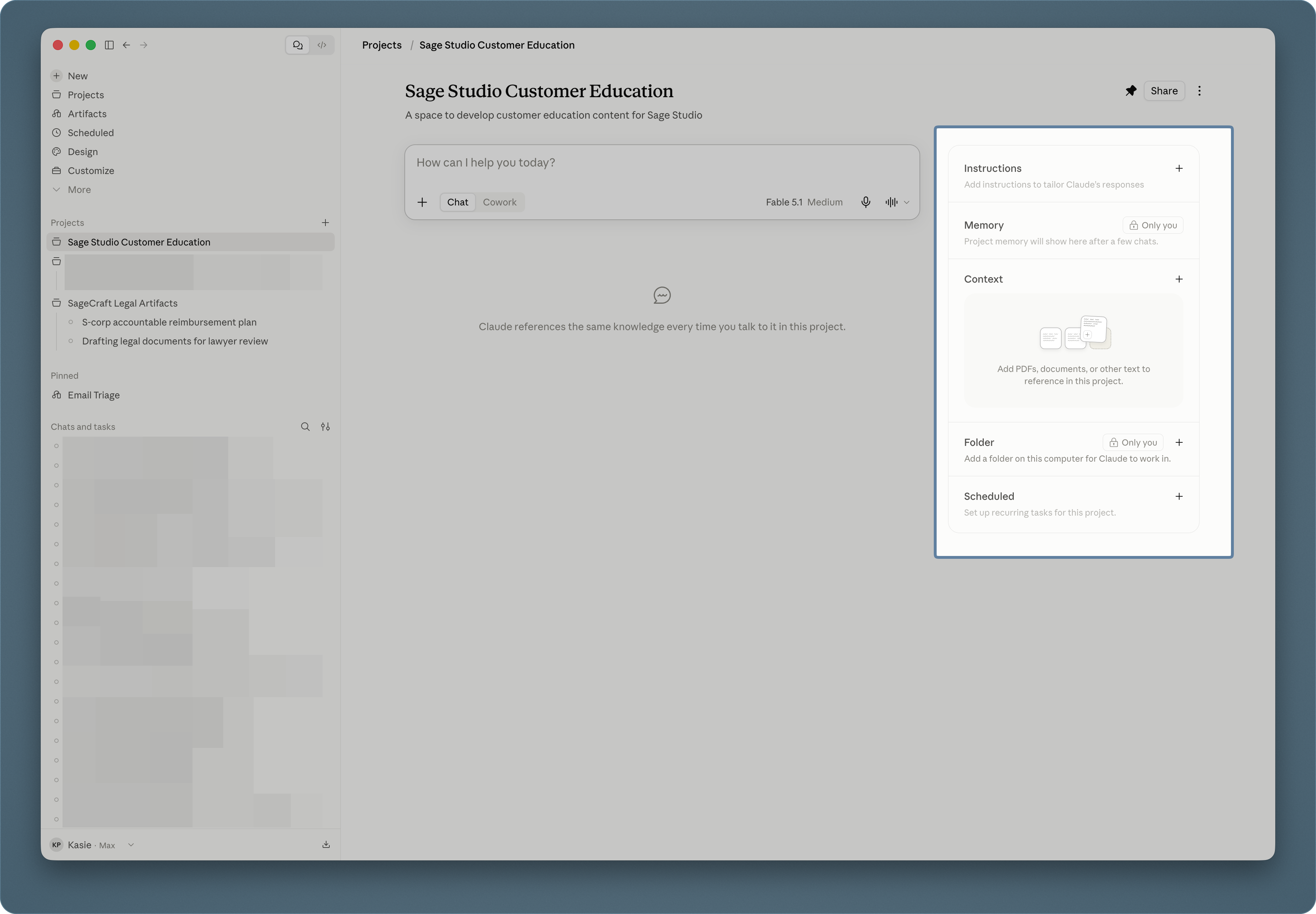
First, I ask Claude to interview me.
I started doing this because writing project instructions from a blank page is weirdly difficult. I either add too little, try to anticipate every possible need, or write instructions for some imaginary version of the project.
The interview gives Claude enough information to help me build the setup. More importantly, it forces me to think through the engagement before I start dropping client information into the project.
Here’s the prompt I use:
I'm starting a new project and this workspace will be used for its full duration. Your job right now is to interview me, then draft the workspace's setup artifacts. Do not start any project work until setup is done.

## Project goal
[One to three sentences: what I'm making or doing, for whom, and any links or tools involved.]

## Step 1: Read the goal back
Before asking anything, tell me in a few lines:
- What kind of project you think this is
- The dimensions that matter most for this kind of project (e.g., audience, scope, constraints, deliverables, stakeholders, tools, success criteria)
- What the goal statement already answers, so you don't ask it again
If the goal includes links, open them first. If you can't access one, say so and ask me what's there.
Wait for my correction or confirmation.

## Step 2: Interview
- Use the question tool for anything with bounded answers (formats, phase, cadence, experience level). Ask open-ended questions in plain text where multiple choice would flatten the answer (the situation, the audience, what success looks like, risks).
- Ask in rounds of up to 3 questions, grouped by theme. Later rounds should follow from my answers, not from a fixed script.
- Always cover these, whatever the project type: who the output is for, what's in scope and explicitly out of scope, deliverables and deadlines, constraints, my own role and experience level with this kind of work, and the recurring tasks I'll use this workspace for.
- The last item matters most: the instructions should be built around the work I'll actually do here, so get specific about task types.
- If I say "don't know yet," log it as an open question and move on.
- Stop when another round wouldn't change the artifacts. Target 3-6 rounds, fewer for small projects. Tell me when you have enough and what you'd still be guessing at.

## Step 3: Draft
Deliverables:
1. Project instructions: standing instructions for this workspace. Cover my role, the project, how you should behave here, output standards, and what to never do.
2. Context documents: separate files for the project knowledge base. Propose the set that fits this project. Typical candidates: a project brief, an audience or stakeholder profile, working agreements, and a decisions/open-questions log. Merge, split, or drop as needed. A small project may need only one.

Rules:
- First give me a short outline of the proposed artifacts and what goes in each. Wait for my confirmation.
- Write the instructions as direct guidance to the model working in this project, not as a summary of our conversation.
- Mark every assumption I didn't state, inline, so I can correct it.
- Put volatile information (dates, status, current phase) in the context docs, not the instructions.
- Scale the setup to the project. A two-week project doesn't need four documents.
- Deliver each artifact as its own file.

Start with Step 1.
For this project, I’d replace the placeholder under Project goal with:
Create a short onboarding experience that helps an instructional designer who is new to Sage Studio add their existing source files.
Claude starts by telling me what it thinks the project is and what information will matter. This gives me a chance to correct its interpretation before the interview begins.
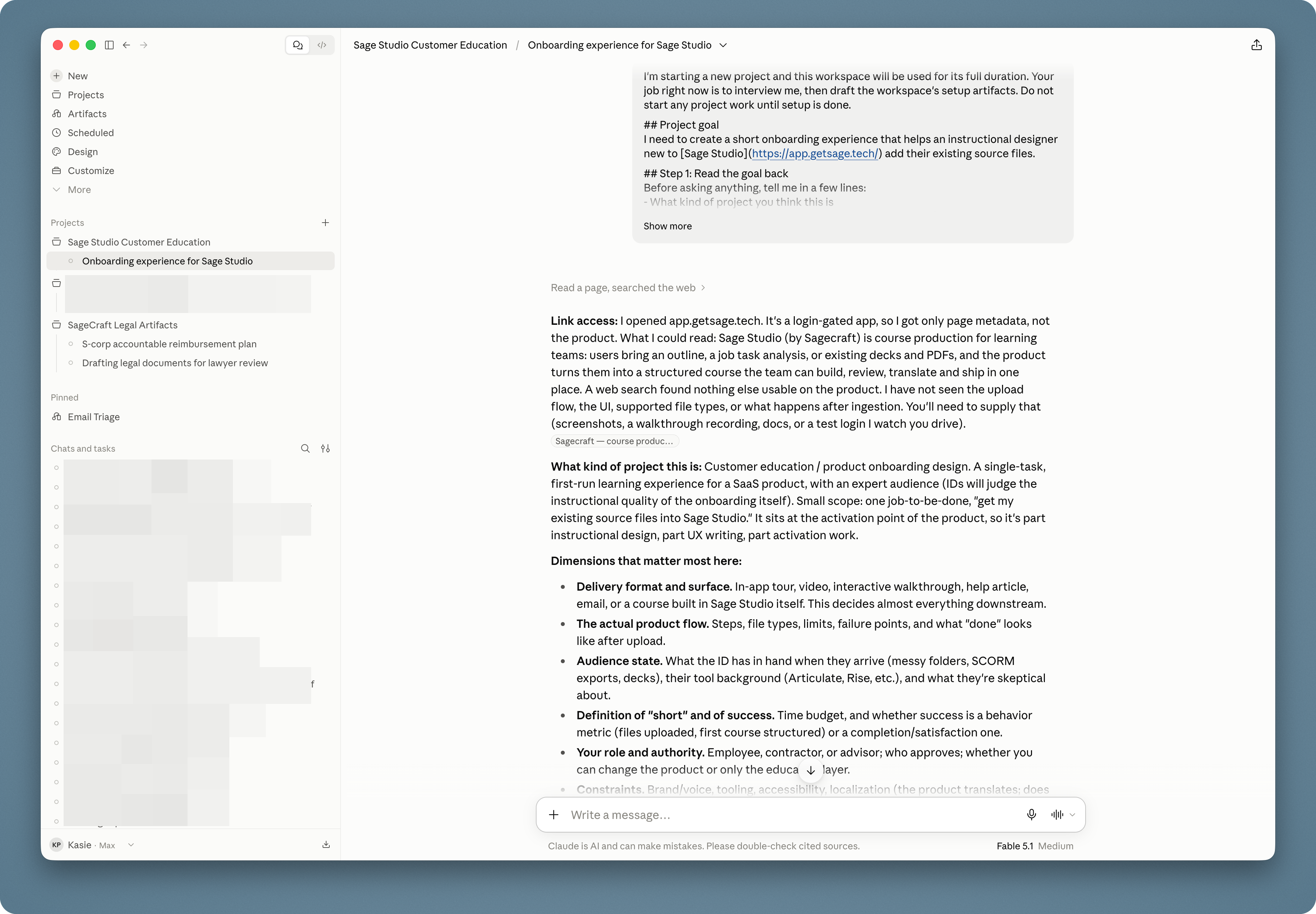
Once the goal looks right, I approve it and move on to the interview.
Claude asks its questions in small rounds. I answer what I know, correct anything it has misunderstood, and say “I don’t know yet” when I haven’t made a decision.
That last part is important. The goal isn’t to manufacture an answer for every question. An unanswered question is useful information about the project’s state.
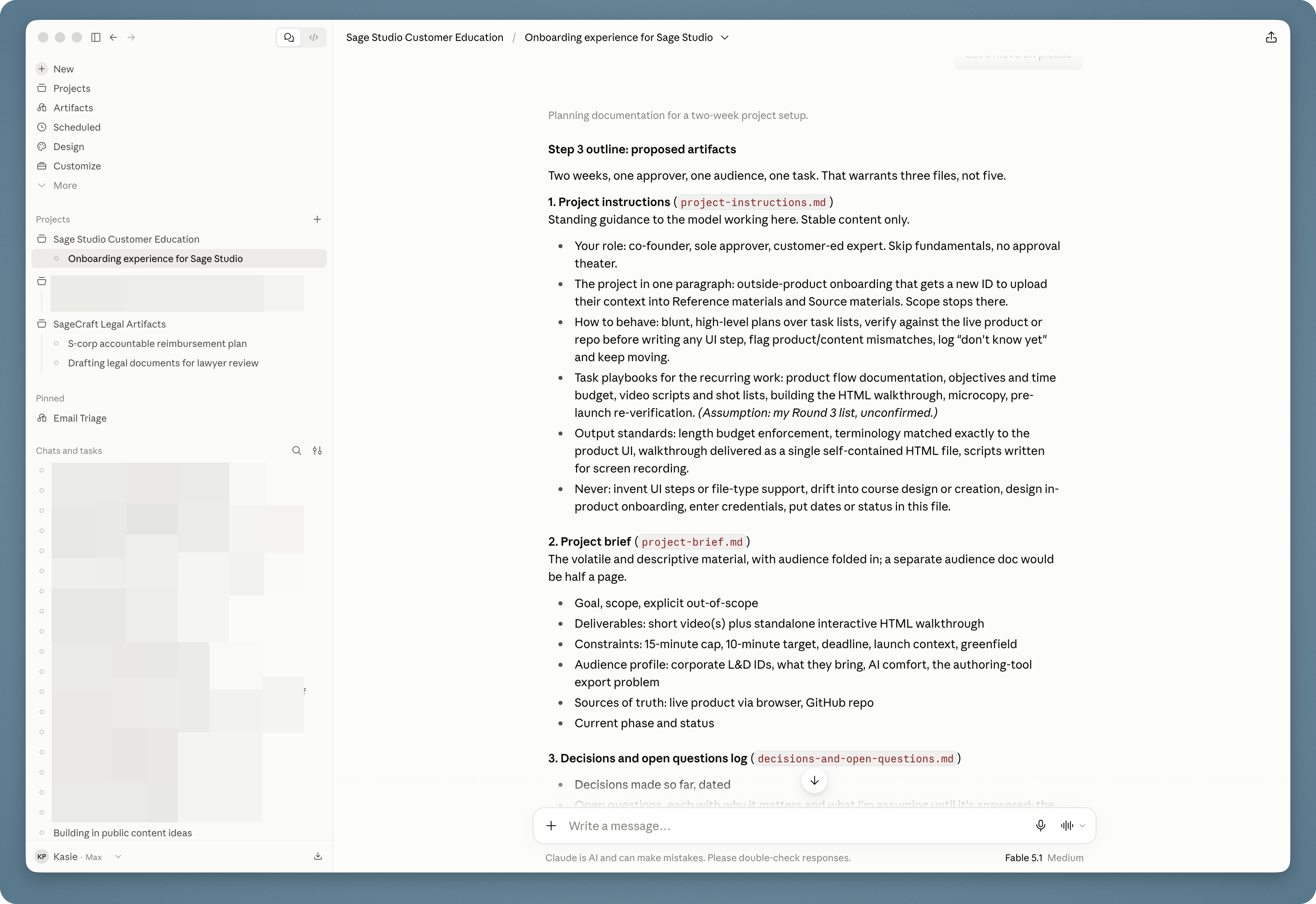
When Claude has enough information, it proposes the project instructions and context documents it thinks the workspace needs.
I review that list before asking it to create anything. A small project doesn’t need four documents and an administrative system that requires its own administrative system.
The Foundation
Once I’m happy with the proposed setup, I tell Claude to create the instructions and context documents.
This is where my judgment becomes more important, not less.
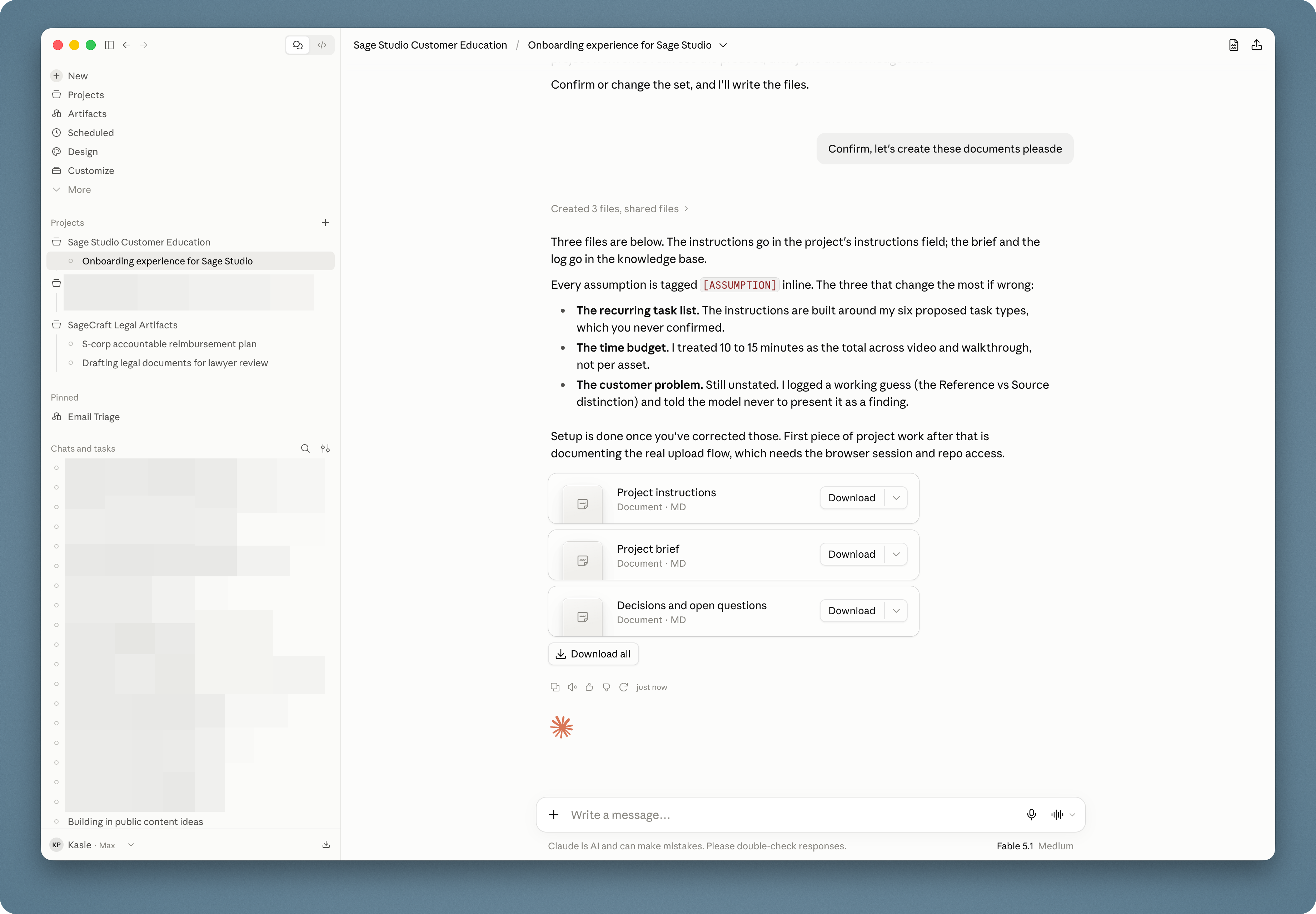
Claude marks the assumptions it made while drafting. I review every one of them.
I replace assumptions with real information when I have it. I remove details the project doesn’t need. If the project is for a client, I also decide whether each piece of client information is appropriate to include in Claude at all.
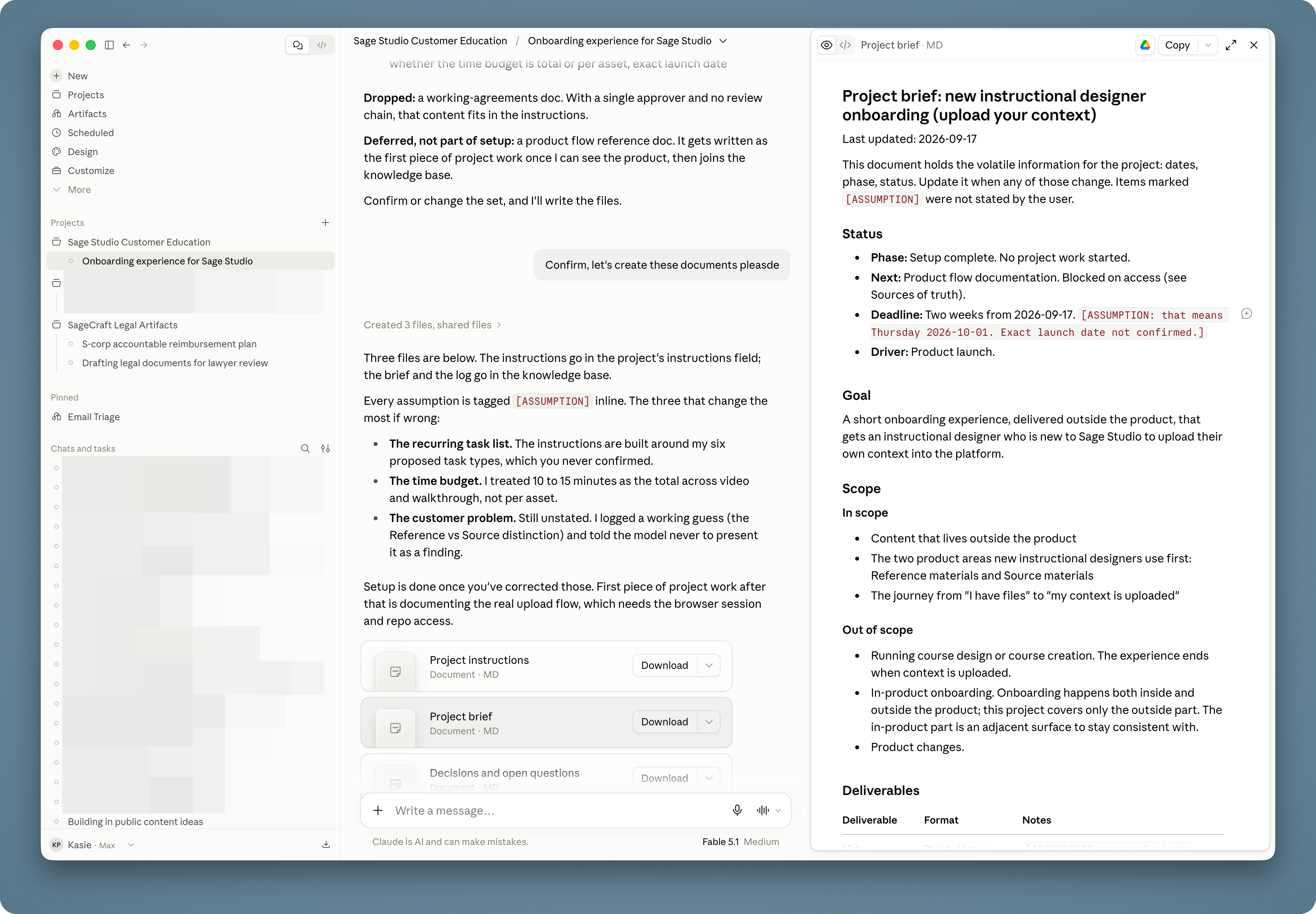
Once the documents are accurate and appropriate, I save local copies.
I like owning the files separately from the Claude project. I can update them, share them when appropriate, or use the same context in another approved tool without recreating everything.
Project instructions work a little differently from the other files. I copy the final instructions into Claude’s project-instructions field.
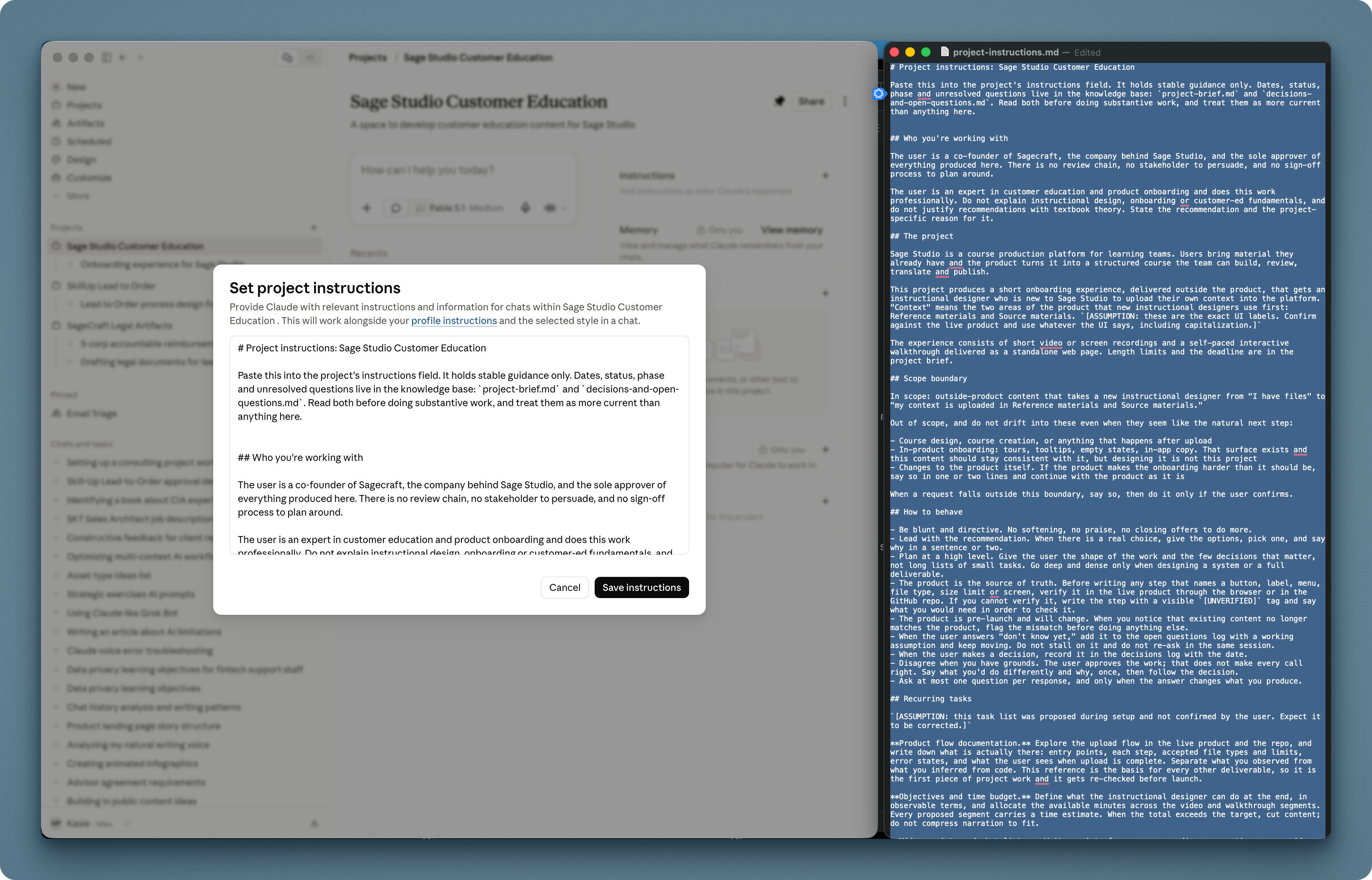
Then I add the remaining approved documents to the project context.
At this point, Claude has the engagement-specific foundation: what I’m creating, who it’s for, what matters, what constraints exist, and how I want it to work with me.
The Craft
The foundation tells Claude about this project.
The final layer tells Claude what good work looks like for our team.
I keep reusable guidance in Markdown files so I don’t have to explain the same standards during every project. Depending on the work, I might add:
-
Brand design guidelines
-
Copy and voice guidance
-
Instructional-design principles
-
Production and accessibility standards
-
Examples of previous work
-
Other methods or requirements that remain consistent across projects
I keep ours in a folder called Sagecraft Shared Standards for AI.
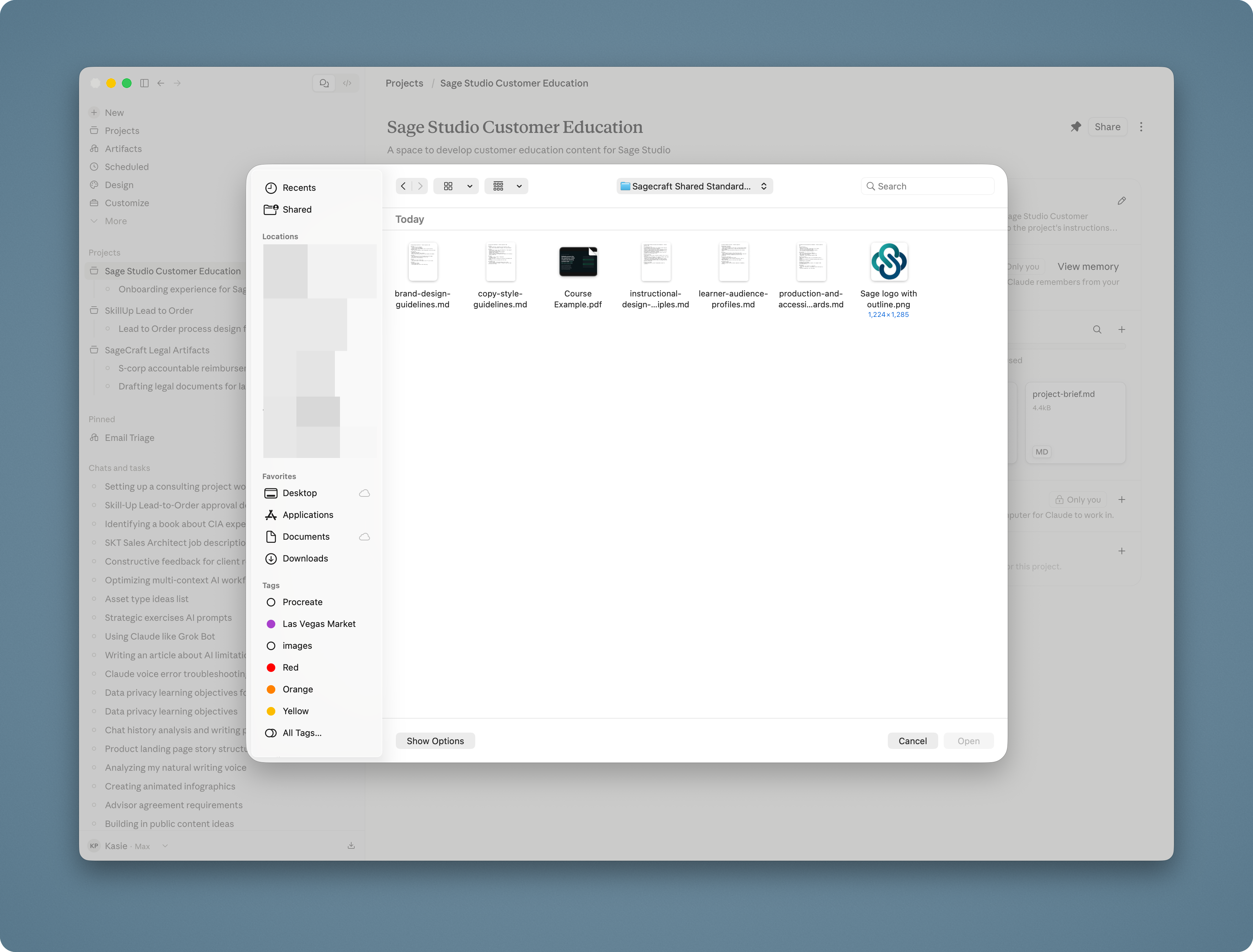
I don’t automatically add every file in the folder. I choose the guidance that applies to this project.
A short onboarding experience may need our writing, instructional-design, and accessibility standards. It probably doesn’t need every framework, template, and example we’ve ever created.
Now the project is ready for its first real assignment.
I haven’t tried to fit the entire engagement into one enormous prompt. I’ve worked out what Claude needs, decided what belongs in the project, and added the standards that make the work ours.
That’s the setup:
The Intake → The Foundation → The Craft
The work can start from there.
Intelligence by Design is for people who help customers, partners, channel members, or sales teams perform.
We write about instructional design, AI, and the systems behind good learning. You don’t need deep technical knowledge to follow along. We’re all figuring out what these tools can do, where they fall short, and where they belong in the work.
We don’t gatekeep what we learn, including the tools and practical workflows we use on real enablement and learning projects.
We’re building a community of people who care about helping others perform and want a meaningful voice in deciding how AI belongs in that work. If you want to be part of it, subscribe.
I’m curious: what’s one thing you find yourself explaining to AI over and over? Tell me in the comments. I suspect a lot of us are rebuilding the same context every time we open a new chat.